TradingView is a powerful trading analysis tool that caters to users of all experience levels. MEXC has integrated TradingView's charting tools, allowing you to use them directly on the MEXCTradingView is a powerful trading analysis tool that caters to users of all experience levels. MEXC has integrated TradingView's charting tools, allowing you to use them directly on the MEXC
Learn/Trading Guide/Technical Indicators/How to Use ...iew on MEXC

How to Use TradingView on MEXC

Dec 11, 2025MEXC
0m
4
4$0.008503-0.51%
Common Protocol
COMMON$0.0001331-4.45%

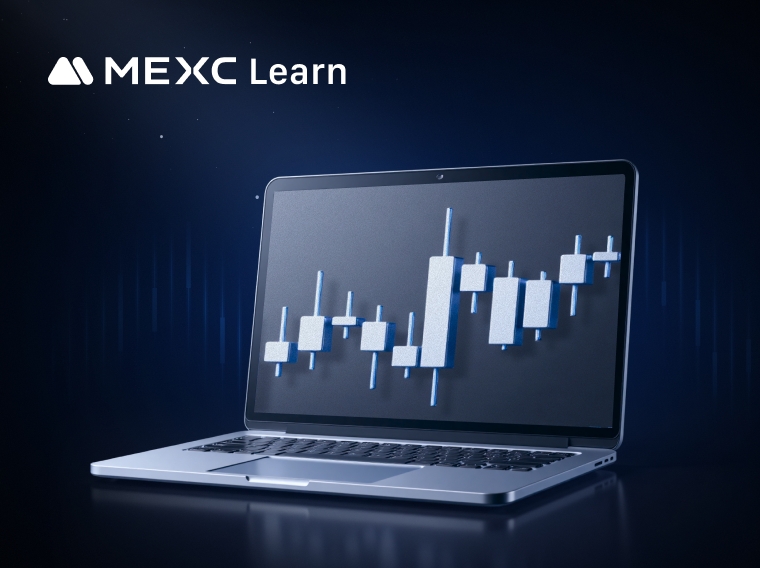
TradingView is a powerful trading analysis tool that caters to users of all experience levels. MEXC has integrated TradingView's charting tools, allowing you to use them directly on the MEXC platform.

How to Use TradingView on MEXC


We will demonstrate TradingView chart features using the spot trading page as an example. The setup for the futures trading page is identical to the spot trading page.

1. Setting Up the K-Line Chart


The K-line chart, also commonly referred to as the candlestick chart, typically defaults to solid green for rises and red for falls. In Japan and Korea, it often defaults to solid red for rises and blue for falls. By hovering your mouse over the K-line icon, you can see 8 different styles of K-line charts, and you can switch to the corresponding style of K-line chart by clicking on it.


Additionally, you can click the chart icon above the K-line chart to open the "Chart Settings" page. In the first section, indicated by a K-line icon, you can make more custom settings for candle colors, price line colors, time zone, and more.


2. Common Drawing Tools


On the left side of the chart, you will find commonly used drawing tools to help you analyze market trends. To use these drawing tools, click the corresponding icon on the left side, and then draw on the K-line chart. The process is simple and easy to use.


3. Using Technical Indicators


For more experienced traders, technical indicators are often used to analyze market trends. Click the technical indicators button above the K-line chart. In the "Indicators" list, scroll up and down or use the search function to find and add the technical indicators you need.


After adding a technical indicator, you can also adjust its parameters, style, and other settings according to your preferences. For example, to modify the Bollinger Bands (BB) indicator as shown in the image, click on the indicator on the K-line chart, then click the [⚙️] settings button at the top to open the BB indicator settings page. After making your adjustments, click [Ok] to save.

Additionally, you can click the eye icon to show or hide the technical indicator, or click the [X] icon to remove the indicator from the chart.


4. Time Zone Settings


To change the displayed time zone, simply click on the time zone information below the K-line chart. Changing the time zone will not affect the statistical values; it will only change the date and time.


5. Chart Settings


Earlier in the "Setting Up the K-Line Chart" section, we mentioned the chart settings. Click the chart icon above the K-line chart to open the "Chart Settings" page. The chart settings include four sections, listed from top to bottom: Candles, Symbol, Labels, and Chart Basic Styles.

  • Candles: Customize the candle colors, price line colors, precision, and time zone.
  • Symbol: Settings for the text information at the top of the K-line chart, including whether to display OHLC values, bar change values, and volume.
  • Labels: Offers various options to integrate labels into the chart, such as symbol name, high and low price, and countdown to bar close labels.
  • Chart Basic Styles: Customize the chart's background color, grid line color, and other settings.


6. How to Reset the Chart


If you want to remove any customizations you have made to the chart, right-click on the K-line chart and select [Reset chart view].


Disclaimer: This information does not provide advice on investment, taxation, legal, financial, accounting, consultation, or any other related services, nor does it constitute advice to purchase, sell, or hold any assets. MEXC Learn provides information for reference purposes only and does not constitute investment advice. Please ensure you fully understand the risks involved and exercise caution when investing. The platform is not responsible for users' investment decisions.

Market Opportunity
4 Logo
4 Price(4)
$0.008503
$0.008503$0.008503
-2.37%
USD
4 (4) Live Price Chart

Popular Articles

View More
Why Is XRP Going Up Right Now? The Iran Ceasefire, The Strait Of Hormuz, And What It Means For XRP

Why Is XRP Going Up Right Now? The Iran Ceasefire, The Strait Of Hormuz, And What It Means For XRP

XRP surged roughly 7 percent on the week after the United States and Iran announced a ceasefire agreement on June 14, bouncing hard off a four-month low as geopolitical fear started to lift. The

Will HOOD Stock Hit $191 by 2030? Robinhood Stock Price Prediction and Analyst Targets

Will HOOD Stock Hit $191 by 2030? Robinhood Stock Price Prediction and Analyst Targets

Robinhood (NASDAQ: HOOD) spent most of 2025 doing something it had never managed before: convincing Wall Street to take it seriously. The stock climbed from an all-time low of $6.81 in 2022, and from

How to Read US Stock Pre-Market and After-Hours Unusual Movements: Distinguishing Real Signals from Short-Term Noise

How to Read US Stock Pre-Market and After-Hours Unusual Movements: Distinguishing Real Signals from Short-Term Noise

Pre-market and after-hours trading sessions allow investors to buy and sell stocks outside the regular 9:30 AM to 4:00 PM ET exchange window. Price moves during these sessions carry real information,

How to Read U.S. Stock Market Signals: Price Action, Volume, Breakouts, and Sector Rotation

How to Read U.S. Stock Market Signals: Price Action, Volume, Breakouts, and Sector Rotation

For most traders, looking at a stock chart for the first time feels like trying to read a foreign language. A stock is up 4% in the pre-market—is that a buy signal, or a trap? A chart breaks past a

Hot Crypto Updates

View More
KAZAR ($KAZAR): What It Is and How to Buy in 2026

KAZAR ($KAZAR): What It Is and How to Buy in 2026

Discover what KAZAR AI ($KAZAR) is, how it works, its tokenomics, price history, and how to buy KAZAR on MEXC in 2026. Full research guide. Summary KAZAR AI is an Ethereum-based cryptocurrency

SpaceX Ticker Set for Nasdaq Debut on July 7, 2026: What Investors Need to Know

SpaceX Ticker Set for Nasdaq Debut on July 7, 2026: What Investors Need to Know

For years, investors could only watch from the sidelines as SpaceX remained one of the world's most valuable private companies. Now, that has changed. While early reports pointed to a July 7, 2026

Massive Put Pressure: Bitcoin Options OI Nears $34.5B as Traders Pile Into Downside Bets

Massive Put Pressure: Bitcoin Options OI Nears $34.5B as Traders Pile Into Downside Bets

Overview Bitcoin's derivatives market is sending one of its clearest distress signals in months. Total bitcoin options open interest across all major exchanges has climbed toward $34.5 billion, even

Mbappe vs. Yamal vs. Kane: Who Was Born to Win the 2026 World Cup Golden Ball?

Mbappe vs. Yamal vs. Kane: Who Was Born to Win the 2026 World Cup Golden Ball?

Overview The 2026 FIFA World Cup — the largest in history with 48 teams and 104 matches across three nations — is now underway. Three names dominate every pre-match conversation: Kylian Mbappe, the

Trending News

View More
2026 World Cup Group G Standings: Egypt, Iran, Belgium and Qualification Scenarios

2026 World Cup Group G Standings: Egypt, Iran, Belgium and Qualification Scenarios

The latest 2026 World Cup Group G standings have created a tense final-round qualification picture. Egypt lead the group with 4 points after drawing with Belgium and beating New Zealand. Iran and Belg

2026 World Cup Group H Standings: Latest Table, Points and Qualification Picture

2026 World Cup Group H Standings: Latest Table, Points and Qualification Picture

The latest 2026 World Cup Group H standings have created a tense final-round qualification picture. Spain lead the group with 4 points after drawing with Cape Verde and beating Saudi Arabia 4-0. Urugu

Why Is Crypto Market Down Today as Bitcoin Price Nears $60K

Why Is Crypto Market Down Today as Bitcoin Price Nears $60K

The whole crypto market is down, 2.5% in the last day, now at $2.08 trillion. Bitcoin led the drop, falling almost 4% to $60,294. But it’s not just crypto. Stocks

Mamdani’s picks sweep New York City’s congressional primaries, ousting two incumbents

Mamdani’s picks sweep New York City’s congressional primaries, ousting two incumbents

A voter completes their ballot at a voting site, in New York, Nov. 4, 2025.

Related Articles

View More
Analysis of Common Technical Indicators in the Cryptocurrency Market

Analysis of Common Technical Indicators in the Cryptocurrency Market

In crypto trading, technical indicator analysis refers to a quantitative method that uses mathematical and statistical formulas to assess market trends. By processing price and volume data through spe

What Is the Stochastic Indicator (KDJ)?

What Is the Stochastic Indicator (KDJ)?

The Stochastic Indicator (KDJ) is a technical analysis tool that analyzes price trends to assess market strength and identify overbought and oversold conditions, helping traders make buy and sell deci

What is Parabolic SAR?

What is Parabolic SAR?

The Parabolic SAR (Stop and Reverse) is a widely used technical analysis tool designed to determine the direction of price trends and identify potential reversal points. This indicator plots a series

What is an Ichimoku Cloud Chart?

What is an Ichimoku Cloud Chart?

The Ichimoku Cloud Chart is a technical analysis method that combines multiple technical indicators into one chart. It can display potential support and resistance areas, trend direction, and provides

Sign Up on MEXC
Sign Up & Receive Up to 10,000 USDT Bonus
Kickoff Fest! Win Up to $500K!
Kickoff Fest! Win Up to $500K!Kickoff Fest! Win Up to $500K!
4 rewards! 1st trade bonus & 0-fee limit orders!